
Free app for creating 3D art
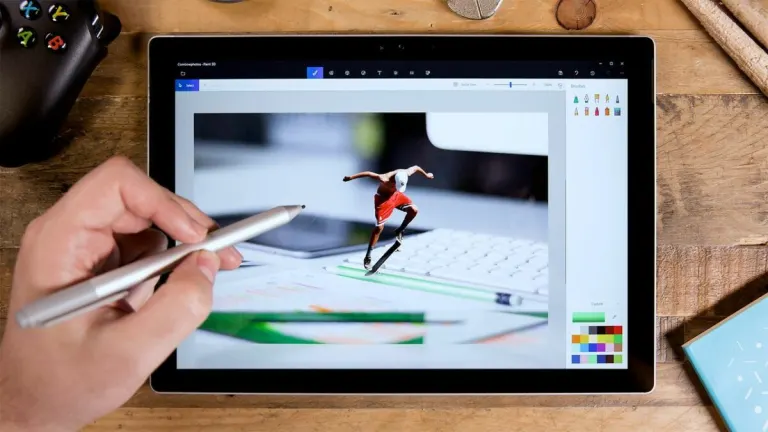
Paint 3D is a creative application that comes free with Windows 10. It allows you to create creative projects using 2D and 3D tools. Paint 3D is a refresh of the long-standing Microsoft Paint software and requires no design experience to use.
Top Recommended Alternative

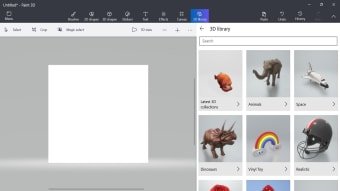
Paint 3D focuses on simplicity rather than power. It blends 2D drawing tools with basic 3D modeling in a way that feels playful and accessible. Users can add stickers, text, shapes, and premade 3D models, then rotate or place them freely in a scene. It’s easy learning 3D with this app’s ready-made models.
Creative tools and everyday functionality
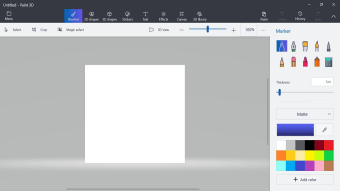
Paint 3D offers a solid collection of tools for casual image editing and simple illustration. Users can draw using brushes, pencils, and fill tools, then enhance their work with effects and filters. The app supports transparent backgrounds, layering, and basic cropping, which makes it useful for quick edits or school projects. These tools work smoothly and reinforce Paint 3D’s role as a casual art tool rather than a professional editor.
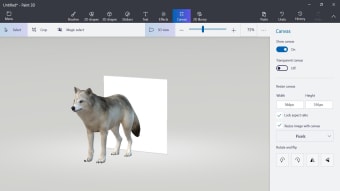
The 3D aspect is where this tool tries to stand out. Users can insert 3D shapes or characters, resize them, and rotate them within the canvas. Lighting and perspective tools help objects blend into scenes more naturally, which is impressive for such a simple app. Still, the 3D tools lack depth and customization, making them unsuitable for serious modeling. This results in a 3D depth con for users hoping to go beyond basic experimentation.
Use cases and practical value
Paint 3D shines when used for quick tasks such as editing images, creating simple graphics, or introducing young users to digital art concepts. It is especially useful for educational environments where simplicity matters more than depth. For these scenarios, the app delivers consistent results and a smooth experience. Its value lies in quick creative tasks rather than long form projects. That said, there’s no advanced color grading, no detailed layer control, and no plugin support.
Recent updates this 3D modeling app have been minimal, focusing mostly on stability improvements and bug fixes rather than new features. Microsoft has shifted attention toward other creative tools, which has slowed development. While the app remains functional and supported, the lack of major updates suggests limited future expansion. This creates an uncertain development con for users hoping for long term growth or feature additions.
A friendly gateway to casual 3D creativity
Paint 3D succeeds as an approachable creative tool that lowers the barrier to 3D experimentation and casual image editing. Its playful interface, ready-made models, and smooth performance make it ideal for beginners, students, and quick creative tasks. However, limited 3D depth, missing advanced editing controls, and slowed development prevent it from growing into a serious art or modeling solution.